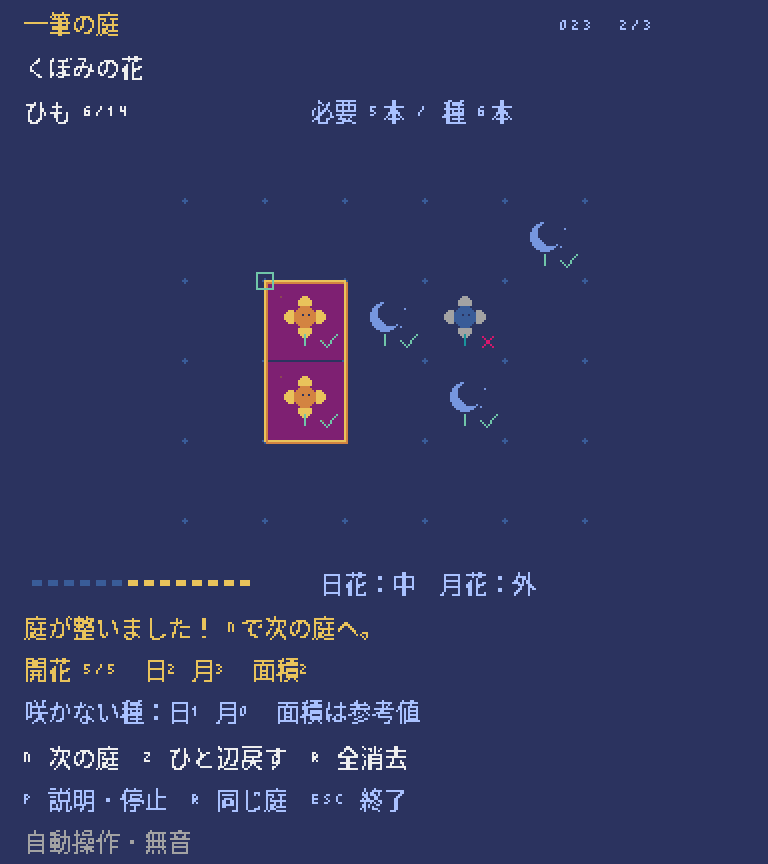
完成サンプルをブラウザーで遊ぶ
この講座のもとになった完成版のゲームを、ブラウザーでそのまま遊べます。キーボードで操作するので、PCで開いてください(スマホのタッチ操作には対応していません)。初めて開くときは、読み込みに少し時間がかかります。
完成版の主な操作:矢印キーで始点を選ぶ・線を引く、Spaceで始点の決定・答えの提出、Zで1本戻す、Rで全部消す、Pで一時停止、Nで次の庭
ボタンを押すと、ゲームの読み込みが始まります。
画面に「CLICK TO START」と出たらクリックします。続けてゲーム画面を一度クリックすると、キー操作が効くようになります。ゲームを終えるときは、枠の外にある「閉じる」ボタンを使ってください(Escキーの働きはゲームごとに違います)。ゲーム内のセーブは、閉じる・ページを移る・再読み込みすると消えます。
うまく表示されないとき
ゲームを動かすためのプログラム(Pyxel 2.9.9)は、外部の配信サービス(jsDelivr)から読み込みます。表示されないときは「最初から再読込」を押すか、完成版のソースをダウンロードしてPCで実行してください。ブラウザー版の録画機能は止めています。ブラウザー版で確認できている範囲は検証状況にまとめています。
外から行けないマスを「内側」と考える。
いきなり完成版のコードを全部読む必要はありません。小さなゲームにルールを1つずつ足しながら、5つのステップで作っていきます。どのステップのファイルもそれだけで動くので、動きを確かめてから次へ進みましょう。
- 必要な環境
- Python 3.11以上 / Pyxel 2.9.9
- 知っておくとよいこと
- 変数・if・for・関数 / タプル・集合・辞書 / マス目の座標(探索の方法は本文で説明します)
- 教材に入っているもの
- ステップごとに動くPythonファイル5本・説明・動作確認用のテスト
- 完成した教材の操作
- 矢印:選ぶ・線を引く / Space:始点・提出 / Z:1本戻す / R:全部消す
- 難易度の目安
- 中級このページで使うプログラムの考え方の数と難しさから決めた目安です。難易度について
- 学習順に迷ったら
- おすすめの学ぶ順番を見る
コードを書き換えたら、ファイルを保存し、動いているゲームを閉じてから、もう一度同じ.pyを実行します。ゲーム中にRキーなどで「やり直し」をしても、書き換えたコードは読み込まれません。
教材のゲーム画面は、日本語フォントを用意しなくても動くように英語で表示しています。ファイルには動作確認用のコードも入っていますが、最初は Game / State・update・draw の3つに注目すれば十分です。わからない言葉は用語集で調べられます。class・self・dataclass はPythonの状態、キー入力と時間の扱いは入力・更新・描画、マス目とピクセルの違いは画面とマップの座標のページで詳しく説明しています。
マスの角を選ぶ
頂点(マスの角)の座標と、マスの座標を区別する。
線を引くのは、マスの中ではなく、マスの角の点(頂点)です。4×4のマスには、横にも縦にも0〜4の5個ずつ頂点があります。カーソルは (1,1) から始まり、矢印キーで動きます。Space を押すと、その点を始点として path に1つ保存します。この段階では、まだ線は引きません。
下のコードは 01_vertices.py の一部です。前のステップから追加・変更したところだけを抜き出しています。
cursor = (max(0, min(WIDTH, cursor[0] + dx)), max(0, min(HEIGHT, cursor[1] + dy)))実行して確かめる
教材のZIPを展開したフォルダーで、次のコマンドを実行します。
.venv\Scripts\python.exe 01_vertices.py.venv/bin/python 01_vertices.py- 頂点を選べる
- 始点を置き直せる
- 右端と下端の頂点も選べる
右端の頂点 (4,1) まで動いて Space を押してみましょう。そのすぐ左のマスは (3,1) です。紙に点とマスを別の印で描いて確かめましょう。
このステップのコード全文(123行)
# MIT License
#
# Copyright (c) 2026 Pyxel 100 contributors
#
# Permission is hereby granted, free of charge, to any person obtaining a copy
# of this software and associated documentation files (the "Software"), to deal
# in the Software without restriction, including without limitation the rights
# to use, copy, modify, merge, publish, distribute, sublicense, and/or sell
# copies of the Software, and to permit persons to whom the Software is
# furnished to do so, subject to the following conditions:
#
# The above copyright notice and this permission notice shall be included in all
# copies or substantial portions of the Software.
#
# THE SOFTWARE IS PROVIDED "AS IS", WITHOUT WARRANTY OF ANY KIND, EXPRESS OR
# IMPLIED, INCLUDING BUT NOT LIMITED TO THE WARRANTIES OF MERCHANTABILITY,
# FITNESS FOR A PARTICULAR PURPOSE AND NONINFRINGEMENT. IN NO EVENT SHALL THE
# AUTHORS OR COPYRIGHT HOLDERS BE LIABLE FOR ANY CLAIM, DAMAGES OR OTHER
# LIABILITY, WHETHER IN AN ACTION OF CONTRACT, TORT OR OTHERWISE, ARISING FROM,
# OUT OF OR IN CONNECTION WITH THE SOFTWARE OR THE USE OR OTHER DEALINGS IN THE
# SOFTWARE.
#
# The bundled Noto-derived bitmap glyphs are separately licensed under SIL OFL.
# See assets/NOTO-LICENSE.txt.

"""一筆の庭・教材1/5。原作Aの庭を段階化した独立版。
実行: python 01_vertices.py
"""
from dataclasses import dataclass

WIDTH = HEIGHT = 4
BUDGET = 12
TILE = 32
DIRS = {"U": (0, -1), "R": (1, 0), "D": (0, 1), "L": (-1, 0)}


@dataclass(frozen=True)
class State:
    path: tuple = ()


def transition(state, action):
    if action == "reset":
        return State(), "READY"
    if action == "undo":
        if not state.path:
            return state, "NOTHING TO UNDO"
        return State(state.path[:-1]), "UNDO"
    if isinstance(action, tuple) and len(action) == 2 and action[0] == "begin":
        point = action[1]
        if not (isinstance(point, tuple) and len(point) == 2
                and all(type(v) is int for v in point)
                and 0 <= point[0] <= WIDTH and 0 <= point[1] <= HEIGHT):
            return state, "BOUNDARY"
        return State((point,)), "START"
    if action not in DIRS:
        return state, "UNKNOWN"
    if not state.path:
        return state, "CHOOSE A START"
    return state, "SPACE SETS THE START"


def main(headless=False, screenshot=None):
    import pyxel
    state = State()
    cursor = (1, 1)
    message = "CHOOSE A VERTEX, THEN SPACE"
    keys = ((pyxel.KEY_UP, "U"), (pyxel.KEY_RIGHT, "R"),
            (pyxel.KEY_DOWN, "D"), (pyxel.KEY_LEFT, "L"))

    def update():
        nonlocal state, cursor, message
        if headless and pyxel.frame_count >= 12:
            if screenshot:
                pyxel.screenshot(screenshot, scale=2)
            pyxel.quit()
            return
        if pyxel.btnp(pyxel.KEY_R):
            state, message = transition(state, "reset")
            cursor = (1, 1)
            return
        if pyxel.btnp(pyxel.KEY_Z):
            state, message = transition(state, "undo")
            if state.path:
                cursor = state.path[-1]
            return
        if pyxel.btnp(pyxel.KEY_SPACE):
            state, message = transition(state, ("begin", cursor))
            return
        for key, direction in keys:
            if pyxel.btnp(key):
                dx, dy = DIRS[direction]
                cursor = (max(0, min(WIDTH, cursor[0] + dx)), max(0, min(HEIGHT, cursor[1] + dy)))
                break

    def draw():
        pyxel.cls(1)
        pyxel.text(10, 9, "ONE LINE GARDEN / STEP 1", 10)
        pyxel.text(10, 23, f"STRING {max(0, len(state.path)-1)}/{BUDGET}", 7)
        for y in range(HEIGHT + 1):
            pyxel.line(30, 50 + y * TILE, 30 + WIDTH * TILE, 50 + y * TILE, 5)
        for x in range(WIDTH + 1):
            pyxel.line(30 + x * TILE, 50, 30 + x * TILE, 50 + HEIGHT * TILE, 5)
        if state.path:
            x, y = state.path[0]
            pyxel.circ(30 + x * TILE, 50 + y * TILE, 3, 11)
        x, y = cursor
        pyxel.rectb(26 + x * TILE, 46 + y * TILE, 9, 9, 7)
        pyxel.text(10, 191, message, 10)
        pyxel.text(10, 216, "ARROWS: MOVE  SPACE: START", 6)
        pyxel.text(10, 230, "Z: UNDO  R: RESET  ESC: QUIT", 6)

    pyxel.init(300, 250, title="One Line Garden - Stage 1", fps=30, headless=headless)
    pyxel.run(update, draw)


if __name__ == "__main__":
    import argparse
    parser = argparse.ArgumentParser(description=__doc__)
    parser.add_argument("--headless-smoke", action="store_true", help="12 frames then quit; not a playtest")
    parser.add_argument("--screenshot", help="PNG path used with --headless-smoke")
    args = parser.parse_args()
main(headless=args.headless_smoke, screenshot=args.screenshot)頂点を並べて線を描く
順番のある座標のリストで、道すじを表す。
Space で始めたあとは、矢印キーを押すたびに、線の先に次の頂点が1つ加わります。頂点が2つで線が1本なので、使ったひもの本数は len(path)-1 です。使えるのは12本までです。Z キーは最後の頂点を取り除き、R キーは全部消します。この練習版では、同じ線を行ったり来たりできます。
下のコードは 02_path.py の一部です。前のステップから追加・変更したところだけを抜き出しています。
path = state.path + (b,)実行して確かめる
教材のZIPを展開したフォルダーで、次のコマンドを実行します。
.venv\Scripts\python.exe 02_path.py.venv/bin/python 02_path.py- 1回の操作で1本の線
- Zで最後の1本だけ消える
- 本数の上限を超えて引けない
path をあとから書き換えると、途中の状態を比べにくくなります。タプルに新しい点を加えた、新しい State を返します。BUDGET を4にして、5本目が引けないことを確かめましょう。数えているのは頂点の数ではなく線の本数なので、始点を含む path には頂点を5個まで入れられます。
このステップのコード全文(139行)
# MIT License
#
# Copyright (c) 2026 Pyxel 100 contributors
#
# Permission is hereby granted, free of charge, to any person obtaining a copy
# of this software and associated documentation files (the "Software"), to deal
# in the Software without restriction, including without limitation the rights
# to use, copy, modify, merge, publish, distribute, sublicense, and/or sell
# copies of the Software, and to permit persons to whom the Software is
# furnished to do so, subject to the following conditions:
#
# The above copyright notice and this permission notice shall be included in all
# copies or substantial portions of the Software.
#
# THE SOFTWARE IS PROVIDED "AS IS", WITHOUT WARRANTY OF ANY KIND, EXPRESS OR
# IMPLIED, INCLUDING BUT NOT LIMITED TO THE WARRANTIES OF MERCHANTABILITY,
# FITNESS FOR A PARTICULAR PURPOSE AND NONINFRINGEMENT. IN NO EVENT SHALL THE
# AUTHORS OR COPYRIGHT HOLDERS BE LIABLE FOR ANY CLAIM, DAMAGES OR OTHER
# LIABILITY, WHETHER IN AN ACTION OF CONTRACT, TORT OR OTHERWISE, ARISING FROM,
# OUT OF OR IN CONNECTION WITH THE SOFTWARE OR THE USE OR OTHER DEALINGS IN THE
# SOFTWARE.
#
# The bundled Noto-derived bitmap glyphs are separately licensed under SIL OFL.
# See assets/NOTO-LICENSE.txt.

"""一筆の庭・教材2/5。原作Aの庭を段階化した独立版。
実行: python 02_path.py
"""
from dataclasses import dataclass

WIDTH = HEIGHT = 4
BUDGET = 12
TILE = 32
DIRS = {"U": (0, -1), "R": (1, 0), "D": (0, 1), "L": (-1, 0)}


@dataclass(frozen=True)
class State:
    path: tuple = ()


def transition(state, action):
    if action == "reset":
        return State(), "READY"
    if action == "undo":
        if not state.path:
            return state, "NOTHING TO UNDO"
        return State(state.path[:-1]), "UNDO"
    if isinstance(action, tuple) and len(action) == 2 and action[0] == "begin":
        point = action[1]
        if state.path:
            return state, "ALREADY STARTED"
        if not (isinstance(point, tuple) and len(point) == 2
                and all(type(v) is int for v in point)
                and 0 <= point[0] <= WIDTH and 0 <= point[1] <= HEIGHT):
            return state, "BOUNDARY"
        return State((point,)), "START"
    if action not in DIRS:
        return state, "UNKNOWN"
    if not state.path:
        return state, "CHOOSE A START"
    a = state.path[-1]
    dx, dy = DIRS[action]
    b = (a[0] + dx, a[1] + dy)
    if not (0 <= b[0] <= WIDTH and 0 <= b[1] <= HEIGHT):
        return state, "BOUNDARY"
    if len(state.path) - 1 >= BUDGET:
        return state, "NO STRING LEFT"
    path = state.path + (b,)
    return State(path), "DRAW"


def main(headless=False, screenshot=None):
    import pyxel
    state = State()
    cursor = (1, 1)
    message = "CHOOSE A VERTEX, THEN SPACE"
    keys = ((pyxel.KEY_UP, "U"), (pyxel.KEY_RIGHT, "R"),
            (pyxel.KEY_DOWN, "D"), (pyxel.KEY_LEFT, "L"))

    def update():
        nonlocal state, cursor, message
        if headless and pyxel.frame_count >= 12:
            if screenshot:
                pyxel.screenshot(screenshot, scale=2)
            pyxel.quit()
            return
        if pyxel.btnp(pyxel.KEY_R):
            state, message = transition(state, "reset")
            cursor = (1, 1)
            return
        if pyxel.btnp(pyxel.KEY_Z):
            state, message = transition(state, "undo")
            if state.path:
                cursor = state.path[-1]
            return
        if pyxel.btnp(pyxel.KEY_SPACE):
            state, message = transition(state, ("begin", cursor))
            return
        for key, direction in keys:
            if pyxel.btnp(key):
                if state.path:
                    state, message = transition(state, direction)
                    cursor = state.path[-1]
                else:
                    dx, dy = DIRS[direction]
                    cursor = (max(0, min(WIDTH, cursor[0] + dx)), max(0, min(HEIGHT, cursor[1] + dy)))
                break

    def draw():
        pyxel.cls(1)
        pyxel.text(10, 9, "ONE LINE GARDEN / STEP 2", 10)
        pyxel.text(10, 23, f"STRING {max(0, len(state.path)-1)}/{BUDGET}", 7)
        for y in range(HEIGHT + 1):
            pyxel.line(30, 50 + y * TILE, 30 + WIDTH * TILE, 50 + y * TILE, 5)
        for x in range(WIDTH + 1):
            pyxel.line(30 + x * TILE, 50, 30 + x * TILE, 50 + HEIGHT * TILE, 5)
        for a, b in zip(state.path, state.path[1:]):
            pyxel.line(30 + a[0] * TILE, 50 + a[1] * TILE, 30 + b[0] * TILE, 50 + b[1] * TILE, 10)
        if state.path:
            x, y = state.path[0]
            pyxel.circ(30 + x * TILE, 50 + y * TILE, 3, 11)
        x, y = cursor
        pyxel.rectb(26 + x * TILE, 46 + y * TILE, 9, 9, 7)
        pyxel.text(10, 191, message, 10)
        pyxel.text(10, 216, "ARROWS: MOVE  SPACE: START", 6)
        pyxel.text(10, 230, "Z: UNDO  R: RESET  ESC: QUIT", 6)

    pyxel.init(300, 250, title="One Line Garden - Stage 2", fps=30, headless=headless)
    pyxel.run(update, draw)


if __name__ == "__main__":
    import argparse
    parser = argparse.ArgumentParser(description=__doc__)
    parser.add_argument("--headless-smoke", action="store_true", help="12 frames then quit; not a playtest")
    parser.add_argument("--screenshot", help="PNG path used with --headless-smoke")
    args = parser.parse_args()
main(headless=args.headless_smoke, screenshot=args.screenshot)交わらない一つの輪にする
「受け付けない条件」を先に確かめる。
一度使った線は、逆向きでも二度と使いません。edge は線の両端の点を並べかえて、A→B と B→A を同じものとして扱います。一度通った頂点にも入れませんが、始点に戻って輪を閉じるときだけは許します。輪を閉じるには、最低4本の線が必要です。閉じたあとは矢印キーで線を引けなくなり、Z で開き直せます。
下のコードは 03_loop.py の一部です。前のステップから追加・変更したところだけを抜き出しています。
closing = b == state.path[0]
if b in state.path and not closing:
    return state, "VERTEX ALREADY USED"
実行して確かめる
教材のZIPを展開したフォルダーで、次のコマンドを実行します。
.venv\Scripts\python.exe 03_loop.py.venv/bin/python 03_loop.py- 同じ線を行ったり来たりしない
- 始点以外の頂点には、もう一度入れない
- 閉じたあとも Z で直せる
R で戻し、始点から「右・下・左・上」と描く代わりに、逆回りの「下・右・上・左」で描いてみましょう。どちらも4本で閉じられることを確かめます。
このステップのコード全文(158行)
# MIT License
#
# Copyright (c) 2026 Pyxel 100 contributors
#
# Permission is hereby granted, free of charge, to any person obtaining a copy
# of this software and associated documentation files (the "Software"), to deal
# in the Software without restriction, including without limitation the rights
# to use, copy, modify, merge, publish, distribute, sublicense, and/or sell
# copies of the Software, and to permit persons to whom the Software is
# furnished to do so, subject to the following conditions:
#
# The above copyright notice and this permission notice shall be included in all
# copies or substantial portions of the Software.
#
# THE SOFTWARE IS PROVIDED "AS IS", WITHOUT WARRANTY OF ANY KIND, EXPRESS OR
# IMPLIED, INCLUDING BUT NOT LIMITED TO THE WARRANTIES OF MERCHANTABILITY,
# FITNESS FOR A PARTICULAR PURPOSE AND NONINFRINGEMENT. IN NO EVENT SHALL THE
# AUTHORS OR COPYRIGHT HOLDERS BE LIABLE FOR ANY CLAIM, DAMAGES OR OTHER
# LIABILITY, WHETHER IN AN ACTION OF CONTRACT, TORT OR OTHERWISE, ARISING FROM,
# OUT OF OR IN CONNECTION WITH THE SOFTWARE OR THE USE OR OTHER DEALINGS IN THE
# SOFTWARE.
#
# The bundled Noto-derived bitmap glyphs are separately licensed under SIL OFL.
# See assets/NOTO-LICENSE.txt.

"""一筆の庭・教材3/5。原作Aの庭を段階化した独立版。
実行: python 03_loop.py
"""
from dataclasses import dataclass

WIDTH = HEIGHT = 4
BUDGET = 12
TILE = 32
DIRS = {"U": (0, -1), "R": (1, 0), "D": (0, 1), "L": (-1, 0)}


@dataclass(frozen=True)
class State:
    path: tuple = ()
    closed: bool = False


def edge(a, b):
    # A→BとB→Aを同じ線分のキーにする。
    return tuple(sorted((a, b)))


def line_edges(path):
    return frozenset(edge(a, b) for a, b in zip(path, path[1:]))


def transition(state, action):
    if action == "reset":
        return State(), "READY"
    if action == "undo":
        if not state.path:
            return state, "NOTHING TO UNDO"
        return State(state.path[:-1], False), "UNDO"
    if isinstance(action, tuple) and len(action) == 2 and action[0] == "begin":
        point = action[1]
        if state.path:
            return state, "ALREADY STARTED"
        if not (isinstance(point, tuple) and len(point) == 2
                and all(type(v) is int for v in point)
                and 0 <= point[0] <= WIDTH and 0 <= point[1] <= HEIGHT):
            return state, "BOUNDARY"
        return State((point,), False), "START"
    if action not in DIRS:
        return state, "UNKNOWN"
    if not state.path:
        return state, "CHOOSE A START"
    if state.closed:
        return state, "CLOSED / Z TO EDIT"
    a = state.path[-1]
    dx, dy = DIRS[action]
    b = (a[0] + dx, a[1] + dy)
    if not (0 <= b[0] <= WIDTH and 0 <= b[1] <= HEIGHT):
        return state, "BOUNDARY"
    if len(state.path) - 1 >= BUDGET:
        return state, "NO STRING LEFT"
    if edge(a, b) in line_edges(state.path):
        return state, "EDGE ALREADY USED"
    closing = b == state.path[0]
    if b in state.path and not closing:
        return state, "VERTEX ALREADY USED"
    if closing and len(state.path) < 4:
        return state, "LOOP TOO SHORT"
    path = state.path + (b,)
    return State(path, closing), "CLOSED" if closing else "DRAW"


def main(headless=False, screenshot=None):
    import pyxel
    state = State()
    cursor = (1, 1)
    message = "CHOOSE A VERTEX, THEN SPACE"
    keys = ((pyxel.KEY_UP, "U"), (pyxel.KEY_RIGHT, "R"),
            (pyxel.KEY_DOWN, "D"), (pyxel.KEY_LEFT, "L"))

    def update():
        nonlocal state, cursor, message
        if headless and pyxel.frame_count >= 12:
            if screenshot:
                pyxel.screenshot(screenshot, scale=2)
            pyxel.quit()
            return
        if pyxel.btnp(pyxel.KEY_R):
            state, message = transition(state, "reset")
            cursor = (1, 1)
            return
        if pyxel.btnp(pyxel.KEY_Z):
            state, message = transition(state, "undo")
            if state.path:
                cursor = state.path[-1]
            return
        if pyxel.btnp(pyxel.KEY_SPACE):
            state, message = transition(state, ("begin", cursor))
            return
        for key, direction in keys:
            if pyxel.btnp(key):
                if state.path:
                    state, message = transition(state, direction)
                    cursor = state.path[-1]
                else:
                    dx, dy = DIRS[direction]
                    cursor = (max(0, min(WIDTH, cursor[0] + dx)), max(0, min(HEIGHT, cursor[1] + dy)))
                break

    def draw():
        pyxel.cls(1)
        pyxel.text(10, 9, "ONE LINE GARDEN / STEP 3", 10)
        pyxel.text(10, 23, f"STRING {max(0, len(state.path)-1)}/{BUDGET}", 7)
        for y in range(HEIGHT + 1):
            pyxel.line(30, 50 + y * TILE, 30 + WIDTH * TILE, 50 + y * TILE, 5)
        for x in range(WIDTH + 1):
            pyxel.line(30 + x * TILE, 50, 30 + x * TILE, 50 + HEIGHT * TILE, 5)
        for a, b in zip(state.path, state.path[1:]):
            pyxel.line(30 + a[0] * TILE, 50 + a[1] * TILE, 30 + b[0] * TILE, 50 + b[1] * TILE, 10)
        if state.path:
            x, y = state.path[0]
            pyxel.circ(30 + x * TILE, 50 + y * TILE, 3, 11)
        x, y = cursor
        pyxel.rectb(26 + x * TILE, 46 + y * TILE, 9, 9, 7)
        pyxel.text(10, 191, message, 10)
        pyxel.text(10, 216, "ARROWS: MOVE  SPACE: START", 6)
        pyxel.text(10, 230, "Z: UNDO  R: RESET  ESC: QUIT", 6)

    pyxel.init(300, 250, title="One Line Garden - Stage 3", fps=30, headless=headless)
    pyxel.run(update, draw)


if __name__ == "__main__":
    import argparse
    parser = argparse.ArgumentParser(description=__doc__)
    parser.add_argument("--headless-smoke", action="store_true", help="12 frames then quit; not a playtest")
    parser.add_argument("--screenshot", help="PNG path used with --headless-smoke")
    args = parser.parse_args()
main(headless=args.headless_smoke, screenshot=args.screenshot)外から塗って、内側を見つける
線を壁として、外側から順番にたどっていく。
輪の内側を直接当てるのではなく、盤面の外から行けるマスを集めていきます。queue はこれから調べるマスの列、outside は調べる対象に入れたマスの集合です。となりのマスへ進むとき、間に引いた線があれば進めません。たとえば頂点 (1,0) と (1,1) を結ぶ線は、マス (0,0) からマス (1,0) への移動をふさぎます。最後に、盤面のすべてのマスから outside を取り除いた残りが「内側」です。
下のコードは 04_inside.py の一部です。前のステップから追加・変更したところだけを抜き出しています。
if wall not in barriers:
    outside.add((nx, ny))
    queue.append((nx, ny))
実行して確かめる
教材のZIPを展開したフォルダーで、次のコマンドを実行します。
.venv\Scripts\python.exe 04_inside.py.venv/bin/python 04_inside.py- 閉じた輪の中だけ塗る
- 時計回りでも逆回りでも結果が同じ
- 盤面の端にくっついた輪も判定できる
outside に追加せずに queue にだけ入れると、同じマスが何度も並んで、処理が終わらなくなります。見つけた時点で、集合にも追加します。R のあと、頂点 (0,0) から「右・右・下・下・左・左・上・上」と描いて、4マスが緑になることを確かめましょう。逆回りに描いても同じマスになる理由を説明してみましょう。
このステップのコード全文(189行)
# MIT License
#
# Copyright (c) 2026 Pyxel 100 contributors
#
# Permission is hereby granted, free of charge, to any person obtaining a copy
# of this software and associated documentation files (the "Software"), to deal
# in the Software without restriction, including without limitation the rights
# to use, copy, modify, merge, publish, distribute, sublicense, and/or sell
# copies of the Software, and to permit persons to whom the Software is
# furnished to do so, subject to the following conditions:
#
# The above copyright notice and this permission notice shall be included in all
# copies or substantial portions of the Software.
#
# THE SOFTWARE IS PROVIDED "AS IS", WITHOUT WARRANTY OF ANY KIND, EXPRESS OR
# IMPLIED, INCLUDING BUT NOT LIMITED TO THE WARRANTIES OF MERCHANTABILITY,
# FITNESS FOR A PARTICULAR PURPOSE AND NONINFRINGEMENT. IN NO EVENT SHALL THE
# AUTHORS OR COPYRIGHT HOLDERS BE LIABLE FOR ANY CLAIM, DAMAGES OR OTHER
# LIABILITY, WHETHER IN AN ACTION OF CONTRACT, TORT OR OTHERWISE, ARISING FROM,
# OUT OF OR IN CONNECTION WITH THE SOFTWARE OR THE USE OR OTHER DEALINGS IN THE
# SOFTWARE.
#
# The bundled Noto-derived bitmap glyphs are separately licensed under SIL OFL.
# See assets/NOTO-LICENSE.txt.

"""一筆の庭・教材4/5。原作Aの庭を段階化した独立版。
実行: python 04_inside.py
"""
from dataclasses import dataclass
from collections import deque

WIDTH = HEIGHT = 4
BUDGET = 12
TILE = 32
DIRS = {"U": (0, -1), "R": (1, 0), "D": (0, 1), "L": (-1, 0)}


@dataclass(frozen=True)
class State:
    path: tuple = ()
    closed: bool = False


def edge(a, b):
    # A→BとB→Aを同じ線分のキーにする。
    return tuple(sorted((a, b)))


def line_edges(path):
    return frozenset(edge(a, b) for a, b in zip(path, path[1:]))


def inside_cells(path):
    if len(path) < 5 or path[0] != path[-1]:
        return frozenset()
    barriers = line_edges(path)
    queue = deque([(-1, -1)])
    outside = {(-1, -1)}
    while queue:
        x, y = queue.popleft()
        for dx, dy in DIRS.values():
            nx, ny = x + dx, y + dy
            if not (-1 <= nx <= WIDTH and -1 <= ny <= HEIGHT):
                continue
            if (nx, ny) in outside:
                continue
            if dx:
                wall = edge((max(x, nx), y), (max(x, nx), y + 1))
            else:
                wall = edge((x, max(y, ny)), (x + 1, max(y, ny)))
            if wall not in barriers:
                outside.add((nx, ny))
                queue.append((nx, ny))
    return frozenset((x, y) for y in range(HEIGHT) for x in range(WIDTH)
                     if (x, y) not in outside)


def transition(state, action):
    if action == "reset":
        return State(), "READY"
    if action == "undo":
        if not state.path:
            return state, "NOTHING TO UNDO"
        return State(state.path[:-1], False), "UNDO"
    if isinstance(action, tuple) and len(action) == 2 and action[0] == "begin":
        point = action[1]
        if state.path:
            return state, "ALREADY STARTED"
        if not (isinstance(point, tuple) and len(point) == 2
                and all(type(v) is int for v in point)
                and 0 <= point[0] <= WIDTH and 0 <= point[1] <= HEIGHT):
            return state, "BOUNDARY"
        return State((point,), False), "START"
    if action not in DIRS:
        return state, "UNKNOWN"
    if not state.path:
        return state, "CHOOSE A START"
    if state.closed:
        return state, "CLOSED / Z TO EDIT"
    a = state.path[-1]
    dx, dy = DIRS[action]
    b = (a[0] + dx, a[1] + dy)
    if not (0 <= b[0] <= WIDTH and 0 <= b[1] <= HEIGHT):
        return state, "BOUNDARY"
    if len(state.path) - 1 >= BUDGET:
        return state, "NO STRING LEFT"
    if edge(a, b) in line_edges(state.path):
        return state, "EDGE ALREADY USED"
    closing = b == state.path[0]
    if b in state.path and not closing:
        return state, "VERTEX ALREADY USED"
    if closing and len(state.path) < 4:
        return state, "LOOP TOO SHORT"
    path = state.path + (b,)
    if closing and not inside_cells(path):
        return state, "NO INSIDE CELL"
    return State(path, closing), "CLOSED" if closing else "DRAW"


def main(headless=False, screenshot=None):
    import pyxel
    state = State()
    cursor = (1, 1)
    message = "CHOOSE A VERTEX, THEN SPACE"
    keys = ((pyxel.KEY_UP, "U"), (pyxel.KEY_RIGHT, "R"),
            (pyxel.KEY_DOWN, "D"), (pyxel.KEY_LEFT, "L"))

    def update():
        nonlocal state, cursor, message
        if headless and pyxel.frame_count >= 12:
            if screenshot:
                pyxel.screenshot(screenshot, scale=2)
            pyxel.quit()
            return
        if pyxel.btnp(pyxel.KEY_R):
            state, message = transition(state, "reset")
            cursor = (1, 1)
            return
        if pyxel.btnp(pyxel.KEY_Z):
            state, message = transition(state, "undo")
            if state.path:
                cursor = state.path[-1]
            return
        if pyxel.btnp(pyxel.KEY_SPACE):
            state, message = transition(state, ("begin", cursor))
            return
        for key, direction in keys:
            if pyxel.btnp(key):
                if state.path:
                    state, message = transition(state, direction)
                    cursor = state.path[-1]
                else:
                    dx, dy = DIRS[direction]
                    cursor = (max(0, min(WIDTH, cursor[0] + dx)), max(0, min(HEIGHT, cursor[1] + dy)))
                break

    def draw():
        pyxel.cls(1)
        pyxel.text(10, 9, "ONE LINE GARDEN / STEP 4", 10)
        pyxel.text(10, 23, f"STRING {max(0, len(state.path)-1)}/{BUDGET}", 7)
        if state.closed:
            for x, y in inside_cells(state.path):
                pyxel.rect(31 + x * TILE, 51 + y * TILE, TILE - 1, TILE - 1, 3)
        for y in range(HEIGHT + 1):
            pyxel.line(30, 50 + y * TILE, 30 + WIDTH * TILE, 50 + y * TILE, 5)
        for x in range(WIDTH + 1):
            pyxel.line(30 + x * TILE, 50, 30 + x * TILE, 50 + HEIGHT * TILE, 5)
        for a, b in zip(state.path, state.path[1:]):
            pyxel.line(30 + a[0] * TILE, 50 + a[1] * TILE, 30 + b[0] * TILE, 50 + b[1] * TILE, 10)
        if state.path:
            x, y = state.path[0]
            pyxel.circ(30 + x * TILE, 50 + y * TILE, 3, 11)
        x, y = cursor
        pyxel.rectb(26 + x * TILE, 46 + y * TILE, 9, 9, 7)
        pyxel.text(10, 191, message, 10)
        pyxel.text(10, 216, "ARROWS: MOVE  SPACE: START", 6)
        pyxel.text(10, 230, "Z: UNDO  R: RESET  ESC: QUIT", 6)

    pyxel.init(300, 250, title="One Line Garden - Stage 4", fps=30, headless=headless)
    pyxel.run(update, draw)


if __name__ == "__main__":
    import argparse
    parser = argparse.ArgumentParser(description=__doc__)
    parser.add_argument("--headless-smoke", action="store_true", help="12 frames then quit; not a playtest")
    parser.add_argument("--screenshot", help="PNG path used with --headless-smoke")
    args = parser.parse_args()
main(headless=args.headless_smoke, screenshot=args.screenshot)日の花と月の花を分ける
内側のマスの集合から、ゲームの成功を判定する。
S の日の花は輪の内側に、M の月の花は外側にあれば咲きます。元のゲームの A と同じく花は1つずつで、目標は2つ咲かせることです。輪を閉じてから Space で提出します。足りなくても、線は消えません。成功したあとも Z で最後の線を戻せるので、別の輪を作り直せます。
下のコードは 05_flowers.py の一部です。前のステップから追加・変更したところだけを抜き出しています。
if blooms(state) < TARGET:
    return state, "NOT ENOUGH BLOOMS / Z TO EDIT"
return State(state.path, True, True), "CLEAR!"
実行して確かめる
教材のZIPを展開したフォルダーで、次のコマンドを実行します。
.venv\Scripts\python.exe 05_flowers.py.venv/bin/python 05_flowers.py- 提出すると成功か判定する
- 失敗しても線は残る
- 成功したあとも Z で編集に戻れる
path を空に戻すと、どこが違ったのか比べられません。失敗のときは同じ State を返し、説明の文だけを変えます。まず成功した四角を Z で開き直して、もっと大きな輪に変えてみましょう。月の花まで内側に入れると咲かなくなるので、ただ広くすればよいとは限りません。
このステップのコード全文(216行)
# MIT License
#
# Copyright (c) 2026 Pyxel 100 contributors
#
# Permission is hereby granted, free of charge, to any person obtaining a copy
# of this software and associated documentation files (the "Software"), to deal
# in the Software without restriction, including without limitation the rights
# to use, copy, modify, merge, publish, distribute, sublicense, and/or sell
# copies of the Software, and to permit persons to whom the Software is
# furnished to do so, subject to the following conditions:
#
# The above copyright notice and this permission notice shall be included in all
# copies or substantial portions of the Software.
#
# THE SOFTWARE IS PROVIDED "AS IS", WITHOUT WARRANTY OF ANY KIND, EXPRESS OR
# IMPLIED, INCLUDING BUT NOT LIMITED TO THE WARRANTIES OF MERCHANTABILITY,
# FITNESS FOR A PARTICULAR PURPOSE AND NONINFRINGEMENT. IN NO EVENT SHALL THE
# AUTHORS OR COPYRIGHT HOLDERS BE LIABLE FOR ANY CLAIM, DAMAGES OR OTHER
# LIABILITY, WHETHER IN AN ACTION OF CONTRACT, TORT OR OTHERWISE, ARISING FROM,
# OUT OF OR IN CONNECTION WITH THE SOFTWARE OR THE USE OR OTHER DEALINGS IN THE
# SOFTWARE.
#
# The bundled Noto-derived bitmap glyphs are separately licensed under SIL OFL.
# See assets/NOTO-LICENSE.txt.

"""一筆の庭・教材5/5。原作Aの庭を段階化した独立版。
実行: python 05_flowers.py
"""
from dataclasses import dataclass
from collections import deque

WIDTH = HEIGHT = 4
BUDGET = 12
TILE = 32
DIRS = {"U": (0, -1), "R": (1, 0), "D": (0, 1), "L": (-1, 0)}
SUN = ((1, 1),)
MOON = ((3, 1),)
TARGET = 2


@dataclass(frozen=True)
class State:
    path: tuple = ()
    closed: bool = False
    success: bool = False


def edge(a, b):
    # A→BとB→Aを同じ線分のキーにする。
    return tuple(sorted((a, b)))


def line_edges(path):
    return frozenset(edge(a, b) for a, b in zip(path, path[1:]))


def inside_cells(path):
    if len(path) < 5 or path[0] != path[-1]:
        return frozenset()
    barriers = line_edges(path)
    queue = deque([(-1, -1)])
    outside = {(-1, -1)}
    while queue:
        x, y = queue.popleft()
        for dx, dy in DIRS.values():
            nx, ny = x + dx, y + dy
            if not (-1 <= nx <= WIDTH and -1 <= ny <= HEIGHT):
                continue
            if (nx, ny) in outside:
                continue
            if dx:
                wall = edge((max(x, nx), y), (max(x, nx), y + 1))
            else:
                wall = edge((x, max(y, ny)), (x + 1, max(y, ny)))
            if wall not in barriers:
                outside.add((nx, ny))
                queue.append((nx, ny))
    return frozenset((x, y) for y in range(HEIGHT) for x in range(WIDTH)
                     if (x, y) not in outside)


def blooms(state):
    inside = inside_cells(state.path) if state.closed else frozenset()
    return sum(p in inside for p in SUN) + sum(p not in inside for p in MOON)


def transition(state, action):
    if action == "reset":
        return State(), "READY"
    if action == "undo":
        if not state.path:
            return state, "NOTHING TO UNDO"
        return State(state.path[:-1], False, False), "UNDO"
    if state.success:
        return state, "FINISHED / Z TO EDIT"
    if isinstance(action, tuple) and len(action) == 2 and action[0] == "begin":
        point = action[1]
        if state.path:
            return state, "ALREADY STARTED"
        if not (isinstance(point, tuple) and len(point) == 2
                and all(type(v) is int for v in point)
                and 0 <= point[0] <= WIDTH and 0 <= point[1] <= HEIGHT):
            return state, "BOUNDARY"
        return State((point,), False, False), "START"
    if action == "submit":
        if not state.closed:
            return state, "CLOSE THE LOOP FIRST"
        if blooms(state) < TARGET:
            return state, "NOT ENOUGH BLOOMS / Z TO EDIT"
        return State(state.path, True, True), "CLEAR!"
    if action not in DIRS:
        return state, "UNKNOWN"
    if not state.path:
        return state, "CHOOSE A START"
    if state.closed:
        return state, "CLOSED / Z TO EDIT"
    a = state.path[-1]
    dx, dy = DIRS[action]
    b = (a[0] + dx, a[1] + dy)
    if not (0 <= b[0] <= WIDTH and 0 <= b[1] <= HEIGHT):
        return state, "BOUNDARY"
    if len(state.path) - 1 >= BUDGET:
        return state, "NO STRING LEFT"
    if edge(a, b) in line_edges(state.path):
        return state, "EDGE ALREADY USED"
    closing = b == state.path[0]
    if b in state.path and not closing:
        return state, "VERTEX ALREADY USED"
    if closing and len(state.path) < 4:
        return state, "LOOP TOO SHORT"
    path = state.path + (b,)
    if closing and not inside_cells(path):
        return state, "NO INSIDE CELL"
    return State(path, closing, False), "CLOSED" if closing else "DRAW"


def main(headless=False, screenshot=None):
    import pyxel
    state = State()
    cursor = (1, 1)
    message = "CHOOSE A VERTEX, THEN SPACE"
    keys = ((pyxel.KEY_UP, "U"), (pyxel.KEY_RIGHT, "R"),
            (pyxel.KEY_DOWN, "D"), (pyxel.KEY_LEFT, "L"))

    def update():
        nonlocal state, cursor, message
        if headless and pyxel.frame_count >= 12:
            if screenshot:
                pyxel.screenshot(screenshot, scale=2)
            pyxel.quit()
            return
        if pyxel.btnp(pyxel.KEY_R):
            state, message = transition(state, "reset")
            cursor = (1, 1)
            return
        if pyxel.btnp(pyxel.KEY_Z):
            state, message = transition(state, "undo")
            if state.path:
                cursor = state.path[-1]
            return
        if state.success:
            return
        if pyxel.btnp(pyxel.KEY_SPACE):
            state, message = transition(state, "submit" if state.path else ("begin", cursor))
            return
        for key, direction in keys:
            if pyxel.btnp(key):
                if state.path:
                    state, message = transition(state, direction)
                    cursor = state.path[-1]
                else:
                    dx, dy = DIRS[direction]
                    cursor = (max(0, min(WIDTH, cursor[0] + dx)), max(0, min(HEIGHT, cursor[1] + dy)))
                break

    def draw():
        pyxel.cls(1)
        pyxel.text(10, 9, "ONE LINE GARDEN / STEP 5", 10)
        pyxel.text(10, 23, f"STRING {max(0, len(state.path)-1)}/{BUDGET}", 7)
        if state.closed:
            for x, y in inside_cells(state.path):
                pyxel.rect(31 + x * TILE, 51 + y * TILE, TILE - 1, TILE - 1, 3)
        for y in range(HEIGHT + 1):
            pyxel.line(30, 50 + y * TILE, 30 + WIDTH * TILE, 50 + y * TILE, 5)
        for x in range(WIDTH + 1):
            pyxel.line(30 + x * TILE, 50, 30 + x * TILE, 50 + HEIGHT * TILE, 5)
        for x, y in SUN:
            pyxel.text(43 + x * TILE, 64 + y * TILE, "S", 10)
        for x, y in MOON:
            pyxel.text(43 + x * TILE, 64 + y * TILE, "M", 6)
        pyxel.text(180, 64, "S: INSIDE", 10)
        pyxel.text(180, 80, "M: OUTSIDE", 6)
        if state.closed:
            pyxel.text(180, 102, f"BLOOM {blooms(state)}/{TARGET}", 7)
        for a, b in zip(state.path, state.path[1:]):
            pyxel.line(30 + a[0] * TILE, 50 + a[1] * TILE, 30 + b[0] * TILE, 50 + b[1] * TILE, 10)
        if state.path:
            x, y = state.path[0]
            pyxel.circ(30 + x * TILE, 50 + y * TILE, 3, 11)
        x, y = cursor
        pyxel.rectb(26 + x * TILE, 46 + y * TILE, 9, 9, 7)
        pyxel.text(10, 191, message, 10)
        pyxel.text(10, 216, "ARROWS: MOVE  SPACE: START/SUBMIT", 6)
        pyxel.text(10, 230, "Z: UNDO  R: RESET  ESC: QUIT", 6)

    pyxel.init(300, 250, title="One Line Garden - Stage 5", fps=30, headless=headless)
    pyxel.run(update, draw)


if __name__ == "__main__":
    import argparse
    parser = argparse.ArgumentParser(description=__doc__)
    parser.add_argument("--headless-smoke", action="store_true", help="12 frames then quit; not a playtest")
    parser.add_argument("--screenshot", help="PNG path used with --headless-smoke")
    args = parser.parse_args()
main(headless=args.headless_smoke, screenshot=args.screenshot)仕組みがわかったら、元の完成版を読んでみよう。
元のゲームには3つの庭があります。限られた長さのひもで、交わらない1つの閉じた輪を描き、日の花を内側、月の花を外側に残して、必要な数を咲かせます。同じ線や、始点以外の頂点は二度と使えません。失敗して提出しても線は消えず、成功したあとも1本戻して直せます。
ここまでに作ったのは、元のゲームの仕組みだけを取り出して作り直した「簡略版」です。元のゲームのソースは手を加えずに、別のZIP(元の完成版ソース)に入れてあります。
| 比べる点 | 5ステップの教材 | 元の完成版 |
|---|---|---|
| 庭 | Aの4×4、ひも12本、花2つ | 3つの庭。それぞれ配置・ひもの本数・目標が違う |
| 進め方 | 選ぶ→道すじ→閉じた輪→内側と外側→花 | 最初からすべてのルール |
| 表示と補助機能 | 英字(ASCII)・音なし・シンプルな図形 | 日本語・面の選択・比較版・記録 |
完成版のコードで、次に読むところ
model.pyのedgeとline_edgesで、逆向きの線を同じものとして扱う書き方を確かめましょう。inside_cellsで、外まわりのマスと、壁になる線を読みましょう。教材の決まった4×4から、大きさを変えられる盤面への広げ方がわかります。gardenで日の花と月の花の条件を読み、State.baselineの比較版だけで変わるルールと区別しましょう。transitionのsubmitとundo、LEVELSで、失敗しても線を残す作りと、3つの庭を読みましょう。
最初は、数字かルールを1つだけ変えてみましょう。遊ぶ前に「どう変わるか」を予想しておくと、仕組みがよくわかります。慣れてきたら、見た目や音も足してみてください。元のファイルは残しておき、コピーした別のフォルダーで改造すると、いつでも元に戻せます。
教材をダウンロードする
無料で、登録なしでダウンロードできます。ZIPファイルは必ず展開してから、中のファイルを実行してください。元の完成版は、同じZIPに入っている assets フォルダー(画像などの素材)も一緒に使います。
コードと図形はMITライセンス、元の完成版に含まれる日本語の文字データ(Noto由来)はSIL OFL 1.1です。配ったり改造したりするときは、ZIPに入っているLICENSEなどの権利表示を残してください。出典・権利について
検証について
どこまで動作を確認したかを見る
2026年10月5日以降、Linux(Python 3.12・Pyxel 2.9.9)で、教材のコードとゲームのルールを自動テストしています。全500ステップの教材が、実際のPyxelで起動して画面を描けることも確かめました。元の完成版も、自動で遊ぶデモが起動して画面を描き、正常に終わることを確認しています。
この確認は、画面を表示しない自動テストで行ったものです。Windows・Macの実際のパソコンでの操作や、音が出るかどうかはまだ確認していません。人がすべての操作を試したわけでもありません。ブラウザー版の確認範囲は確認状況をご覧ください。
うまく動かないときは:起動やエラーの対処法 / 質問用のメモを作る